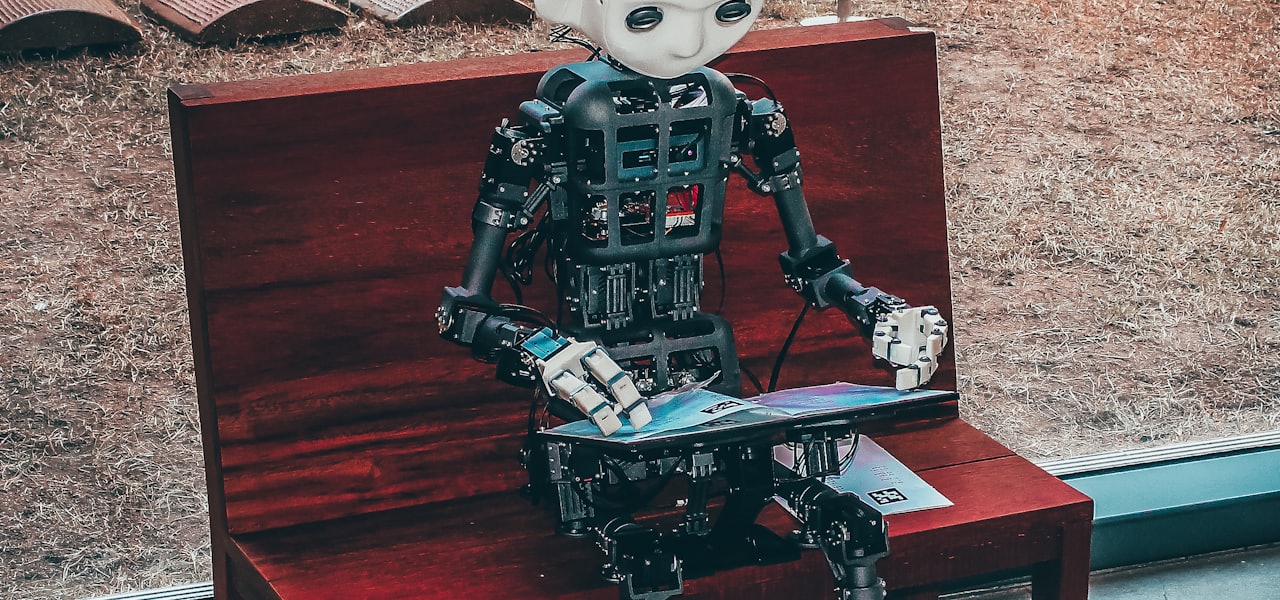
SitePal is a speaking avatar platform for small and medium-sized businesses developed by Oddcast. SitePal allows users to deploy "virtual employees" on websites that can welcome visitors, guide them around the site and answer questions. The use of SitePal on commercial websites has been controversial because many visitors report finding them annoying. Some research has shown that they can increase sales in comparison to using static photographs. == Development == The technology used was the result of more than 4 years of research at Stanford University. The research was based on a literature review and other previous work in the field of artificial intelligence research. The SitePal AI option uses the AIML programming language, which is partially editable by users. This allows web designers to simulate normal human conversation by using keywords or key phrases that the bot can respond to. == Features == The company provides web designers with options to customize the chosen avatar. A large selection of faces, clothing, hair, backgrounds, voices and other details are available. If a web designer wants to use a particular face, Sitepal can create one from a photo. Thus, a mascot or a known face can be simulated. == Speech == Sitepal avatars talk through text-to-speech (tts) software. A short paragraph can be written (up to 900 characters) and the text-to-speech engine will compile the actual speech, which can be reproduced and edited. The tts engine is not perfect, but it comes close to actual speech and is easy to understand. Tts can be further enhanced by some commands, like /laugh and /loud which make the avatar laugh or talk loud. Even pronunciation is possible. The web designer can record and upload his or her own audio messages. Alternatively Sitepal offers professional voice acting service at extra cost. == User interaction == The company provides 5 options for visitor interaction: No interaction. The avatar simply says a pre-fixed message. FAQ mode. Questions can be configured, which are clickable and the user can hear the answer. Lead mode. The avatar prompts the user to type his email and short message, so it can be sent to the webmaster (usually used on a "contact us" page) Chatbot mode. The avatar greets the user, and he can type his questions and have a conversation with the bot. With predetermined replies, this can work as an FAQ as well. API customization. Experienced programmers can make their avatar interact with their website, making it talk when the user clicks on a link or when other triggers occur. Even dual avatar conversations can be created, like a talk show. == Posting options == The company provides five options for posting the avatar: Embed in webpage (via javascript) Embed in HTML Send by email Publish to eBay Embed in Flash == Criticism == Early reviews, such as one by Troy Dreier published in PC World in 2002 were positive and described SitePal as: "an engagingly simple and personal tool, and the price is reasonable for what it adds to a site". Although Dreier did note that the program had "bugs that suggested it hadn't been tested thoroughly". In more recent years, reaction to SitePal has been much more negative with reviews such as Tom Spring writing in a PC World review citing SitePal ads and described his reaction as "Not so nice". Paul Bissex, writing in E-Scribe News described SitePal as "heinous... and embarrassing if anyone is within earshot...they creep me out" == Research on effectiveness == In one single-website research project Anita Campbell had half the visitors to Small Business Trends see a SitePal and the other half see just a static photograph. Over 11,000 visitors the SitePal avatar improved sign-up for a newsletter 144% over the control condition.
Noisy text analytics
Noisy text analytics is a process of information extraction whose goal is to automatically extract structured or semistructured information from noisy unstructured text data. While Text analytics is a growing and mature field that has great value because of the huge amounts of data being produced, processing of noisy text is gaining in importance because a lot of common applications produce noisy text data. Noisy unstructured text data is found in informal settings such as online chat, text messages, e-mails, message boards, newsgroups, blogs, wikis and web pages. Also, text produced by processing spontaneous speech using automatic speech recognition and printed or handwritten text using optical character recognition contains processing noise. Text produced under such circumstances is typically highly noisy containing spelling errors, abbreviations, non-standard words, false starts, repetitions, missing punctuations, missing letter case information, pause filling words such as “um” and “uh” and other texting and speech disfluencies. Such text can be seen in large amounts in contact centers, chat rooms, optical character recognition (OCR) of text documents, short message service (SMS) text, etc. Documents with historical language can also be considered noisy with respect to today's knowledge about the language. Such text contains important historical, religious, ancient medical knowledge that is useful. The nature of the noisy text produced in all these contexts warrants moving beyond traditional text analysis techniques. == Techniques for noisy text analysis == Missing punctuation and the use of non-standard words can often hinder standard natural language processing tools such as part-of-speech tagging and parsing. Techniques to both learn from the noisy data and then to be able to process the noisy data are only now being developed. == Possible source of noisy text == World Wide Web: Poorly written text is found in web pages, online chat, blogs, wikis, discussion forums, newsgroups. Most of these data are unstructured and the style of writing is very different from, say, well-written news articles. Analysis for the web data is important because they are sources for market buzz analysis, market review, trend estimation, etc. Also, because of the large amount of data, it is necessary to find efficient methods of information extraction, classification, automatic summarization and analysis of these data. Contact centers: This is a general term for help desks, information lines and customer service centers operating in domains ranging from computer sales and support to mobile phones to apparels. On an average a person in the developed world interacts at least once a week with a contact center agent. A typical contact center agent handles over a hundred calls per day. They operate in various modes such as voice, online chat and E-mail. The contact center industry produces gigabytes of data in the form of E-mails, chat logs, voice conversation transcriptions, customer feedback, etc. A bulk of the contact center data is voice conversations. Transcription of these using state of the art automatic speech recognition results in text with 30-40% word error rate. Further, even written modes of communication like online chat between customers and agents and even the interactions over email tend to be noisy. Analysis of contact center data is essential for customer relationship management, customer satisfaction analysis, call modeling, customer profiling, agent profiling, etc., and it requires sophisticated techniques to handle poorly written text. Printed Documents: Many libraries, government organizations and national defence organizations have vast repositories of hard copy documents. To retrieve and process the content from such documents, they need to be processed using Optical Character Recognition. In addition to printed text, these documents may also contain handwritten annotations. OCRed text can be highly noisy depending on the font size, quality of the print etc. It can range from 2-3% word error rates to as high as 50-60% word error rates. Handwritten annotations can be particularly hard to decipher, and error rates can be quite high in their presence. Short Messaging Service (SMS): Language usage over computer mediated discourses, like chats, emails and SMS texts, significantly differs from the standard form of the language. An urge towards shorter message length facilitating faster typing and the need for semantic clarity, shape the structure of this non-standard form known as the texting language.
Artbreeder
Artbreeder, formerly known as Ganbreeder, is a collaborative, machine learning-based art website. Using the models StyleGAN and BigGAN, the website allows users to generate and modify images of faces, landscapes, and paintings, among other categories. == Overview == On Artbreeder, users mainly interact through the remixing - referred to as 'breeding' - of other users' images found in the publicly accessible database of images. The creation of new variations can be done by tweaking sliders on an image's page, known as "genes", which in the "Portraits" model can range from color balance to gender, facial hair, and glasses. Additionally, any image can be "crossbred" with other publicly viewable images from the database, using a slider to control how much of each image should influence the resulting "child". The site also allows for uploading new images, which the model will attempt to convert into the latent space of the network. == Notable usages == The similarly AI-driven text adventure game AI Dungeon uses Artbreeder to generate profile pictures for its users, and The Static Age's Andrew Paley has used Artbreeder to create the visuals for his music videos. Artbreeder has been used to create portraits of characters from popular novels such as Harry Potter and Twilight. They have also been used to add realistic features to ancient portraits. Artbreeder was used to create characters in the sequel to Ben Drowned with the titular villain, an AI-construct itself, created entirely using the website. == Changes to Artbreeder == ArtBreeder underwent an overhaul, introducing several features to enhance the user experience. Among these updates is the integration SD-XL, developed by stability.ai. Additionally, ArtBreeder also added a functionality known as ControlNet, which enables users to create images based on specific poses. With ControlNet, users can incorporate various poses into their AI Artworks. More features that were introduced into Artbreeder, are Pattern, which creates AI Pattern Images, Outpainting or Uncropping was also an added feature to Artbreeder, that allows the user to expand the image beyond the normal dimensions of the image. == Reception == The artwork generated by users of the website has been described as "beautiful" and "surreal," drawing comparisons to "weird, incomprehensible dreams" that "somehow touch the deep, unconscious parts of [the] mind". However, the generated faces were noted as "creepy and 'off'", and still nowhere near the quality attained by actual digital artists. Additionally, the site faced criticism for perceived confusing aspects of the AI's behavior. Jonathan Bartlett of Mind Matters News noted that "As is always the case with AI, sometimes the [gene] knobs don't work as expected and sometimes the results are... strange," while conceding that Artbreeder was still "probably the start of a new future of made-to-order stock images." Writers from Hyperallergic also took issue with perceived racial biases in the Portraits model, citing a comment from a user who faced difficulty from the neural network while attempting to darken the skin of a portrait to match a source image.
Straight-Through Quality
Straight-Through Quality (STQ) are approaches and outputs of test automation that have quality and deliver business benefit. STQ takes its name from the business concept of straight-through processing (STP). Also acting as a tool and enabler for STP. Traditional techniques for testing and delivery have often required a great deal of manual support and intervention. These approaches are subject to human error, cost of delay and lack of reuse. These also have the negative side-effect of being unable to deliver 'fail-fast' approaches, which have proven popular with Agile practitioners. Previous traditional approaches have been typically expensive where whole silo'ed departments are created within commercial companies to deliver Quality and Deployment alone. Thus STQ as an approach hopes to resolve this problem. == Examples == Tangible examples of STQ approaches in the software industry are present and often known as continuous integration (CI) and continuous delivery (CD). These combined can ensure that software delivery is integrated, automatically tested and ready for automatic delivery at any time. Together CI/CD can enable STQ which can be used as Business output terminology for business users who do not understand the technical complexities of CI/CD.
Adobe Prelude
Adobe Prelude was an ingest and logging software application for tagging media with metadata for searching, post-production workflows, and footage lifecycle management. Adobe Prelude is also made to work closely with Adobe Premiere Pro. It is part of the Adobe Creative Cloud and is geared towards professional video editing alone or with a group. The software also offers features like rough cut creation. A speech transcription feature was removed in December 2014. == History == Adobe announced that on April 23, 2012 Adobe OnLocation would be shut down and Adobe Prelude would launch on May 7, 2012. Adobe stated OnLocation's production was stopping because of the growing trend in the industry toward tapeless, native workflows, Adobe stresses that Adobe Prelude is not a direct replacement for OnLocation. Adobe OnLocation was available in CS5 but not in CS6 and Adobe Prelude is only available in CS6. Adobe still offers technical support for OnLocation. In 2021, Adobe announced they would be discontinuing Adobe Prelude, starting by removing it from their website on September 8, 2021. Support for existing users will continue through September 8, 2024. == Features == Prelude is used to tag media, log data, create and export metadata and generate rough cuts that can be sent to Adobe Premiere Pro. A user can add a tag to a piece of media that will show up on Premiere Pro or if another user opens that media with Prelude. Ingest Footage Prelude can ingest all kinds of file types. Once ingested, Prelude can duplicate, transcode and verify the files. Log Footage Prelude can log data only using the keyboard. Create Rough Cuts Prelude is able to generate Rough Cuts. Rough Cuts are a combination of sub clips that will hold any metadata a user feeds into it. Rough cuts can hold metadata such as markers and comments, and this metadata will stay on this footage. Workflow Accessibility Prelude is an XMP - based open platform that allows for custom integration into many video editing platforms. == Features from OnLocation == Many features from Adobe OnLocation went to Adobe Prelude or Adobe Premiere Pro. Adobe OnLocation thrived on tape - based cameras and setting up a shot before shooting it, with the change in the industry, this problem is irrelevant in post production. Adobe OnLocation also allowed the user to add tags and scripting metadata that would carry over to Premiere Pro. OnLocation also had a Media Browser pane, which is the standard for any Adobe program today, Prelude has this Media Browser as well. == Prelude Live Logger == Prelude Live Logger is an application integrated with Prelude CC. Prelude Live Logger is designed to capture notes to use during video logging and editing while you shoot footage on an iPad's camera. Editors can import and combine this metadata with footage from Prelude throughout editing to facilitate various tasks.
Eaze
Eaze is an American company based in San Francisco, California that launched a medical cannabis delivery app of the same name in 2014. == History == Eaze was launched in 2014 by Keith McCarty to deliver medical marijuana to patients in California. McCarty started the company in his San Francisco apartment with four employees. The company provides a mobile app to connect users with cannabis dispensaries, but does not grow or sell marijuana itself, and has been nicknamed “the Uber of Weed”. As of 2017, the company operates in more than 100 cities within California. In 2017, Eaze reported 300 percent growth over the previous year. It has 81 employees, and performs 120,000 deliveries per month to 250,000 users. A survey of Eaze users revealed that 66% are male, 57% are between 22 and 34, just over half have a bachelor's degree, and 49% have an annual income over $75,000. The company's vaporizer cartridge sales reached $1 million in sales in 4 months, and 31% of customers had ordered a vaporizer by the end of 2016. In 2016, Eaze founder Keith McCarty stepped down from his position as CEO and was replaced by Jim Patterson, who served as the company's chief product and technology officer. == EazeMD == EazeMD is a service that helps people acquire a medical marijuana card. It is a California-based telemedicine service in which physicians assess patients through an online video chat. It is California's largest telemedicine service for marijuana referrals. In June 2017, a former employee of one of these physicians accessed patient data in the physician's records system, causing a security breach. However, there was no evidence that Eaze data was accessed. == Eaze Insights == Eaze Insights conducts surveys of their users and compiles data into reports on cannabis use. Statistics from their reports have been cited in Seattle Weekly, Forbes, The Huffington Post, Business Insider, Fortune, and other general interest publications. == Financing == The company announced its $10 million Series A funding in April 2015 by multiple venture capital firms, including the Snoop Dogg-backed Casa Verde Capital. In October 2016, Eaze announced its series B funding in the amount of $13 million from five investors, making the company "the highest-funded startup in the history of the cannabis industry, as well as its fastest-growing one". In September 2017, the company raised another $27 million in venture funding. The Series B funding was led by Bailey Capital, joined by DCM Ventures, Kaya Ventures, and FJ Labs. According to the company' officials in 2017, Eaze managed to raise more than $52 million since its inception in 2014.
Picture Prowler
Picture Prowler was an early piece of photo management software developed around and meant to show off Xing Technology's JPEG image decompression library during the early 1990s. Little known today, it featured thumbnail based picture management, printing, etc. The primary developer was Ray Bunnage from compression / decompression libraries developed by Howard Gordon and Chris Eddy.